
API Triggers
API triggers let you create custom HTTP endpoints that initiate AI conversations in GPT Workbench from external systems. Each trigger generates a unique URL that accepts POST requests with a prompt payload. When called, the system queues the prompt for processing in the associated thread, using its full context, system prompt, and tools. This enables programmatic integration between your existing infrastructure and GPT Workbench.
Overview
An API trigger is a secure, token-authenticated endpoint bound to a specific thread. External systems send an HTTP POST request containing a prompt, and GPT Workbench processes it exactly as if a user had typed the prompt in the thread. The response is generated asynchronously and can optionally be delivered to a webhook URL upon completion.
Key characteristics:
- Each trigger has a unique, randomly generated API token embedded in the URL
- No additional authentication headers are required; the token itself serves as the credential
- Rate limiting, IP whitelisting, and ephemeral execution are configurable per trigger
- Execution logs track every invocation with status, timing, and metadata
Accessing API Triggers
- Open the thread you want to expose via API
- Click the Actions menu in the thread header
- Select Automations
- Navigate to the API Triggers tab
The tab displays all triggers configured for the current thread, along with call counts, rate limit settings, and status indicators.
Creating a Trigger
Click New or Create API Trigger to open the creation form.
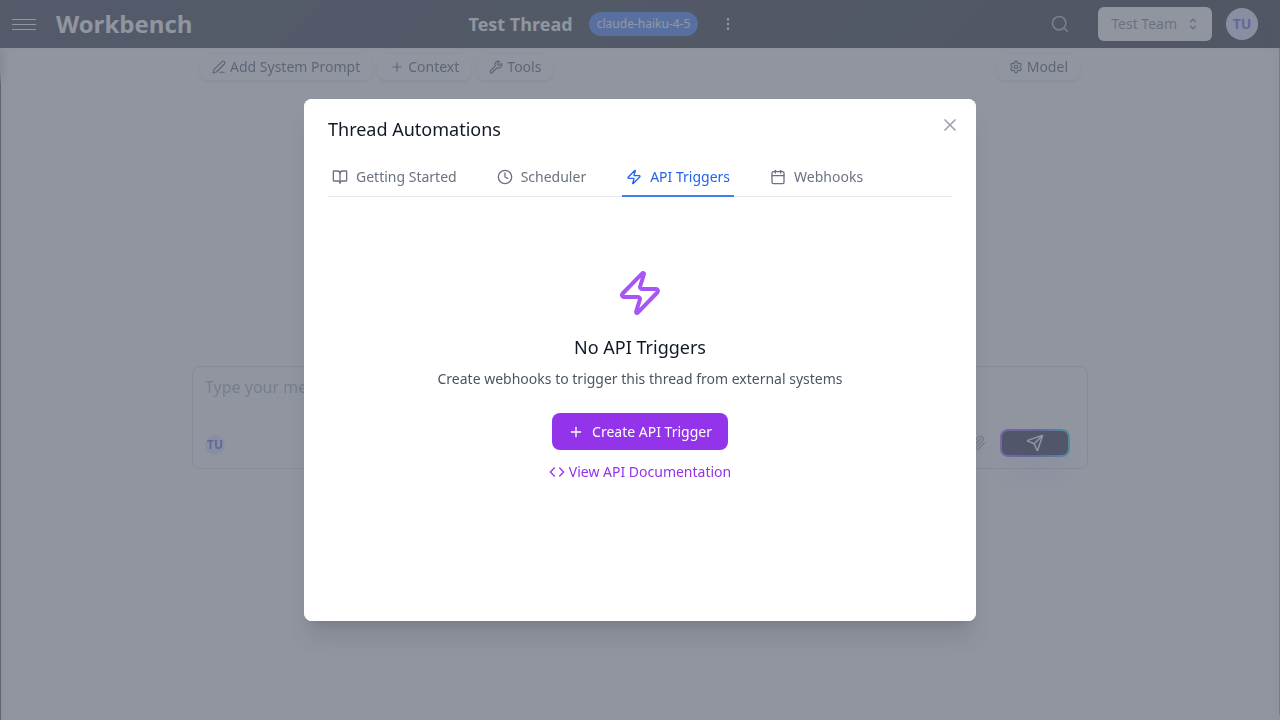
Configuration Fields
Name (required) A descriptive label for the trigger. Use names that identify the integration, such as "CRM Deal Closed Hook" or "CI/CD Pipeline Reporter."
Description (optional) A longer explanation of the trigger's purpose. Useful for team documentation and auditing.
Rate Limit (per hour) The maximum number of calls allowed per hour. Defaults to 100. Set this value according to your expected traffic and budget. Calls exceeding the rate limit receive a 429 Too Many Requests response.
Ephemeral Execution When enabled, the prompt and AI response are not stored in the thread's conversation history. This is useful for stateless integrations where you only need the AI output delivered via webhook or logged in the execution history, without accumulating messages in the thread.
IP Whitelist (optional) Restrict access to specific IP addresses or CIDR blocks. Enter one entry per line. When configured, requests from non-whitelisted IPs receive a 403 Forbidden response. Leave empty to allow all IPs.
Example:
192.168.1.0/24
10.0.0.1
203.0.113.0/24
Trigger URL and Authentication
After creating a trigger, the system generates a unique webhook URL containing the API token:
POST https://engine.yourinstance.com/webhooks/trigger/{apiToken}
The API token is a 64-character string embedded directly in the URL. No Authorization header or API key parameter is needed. Treat this URL as a secret: anyone with the URL can invoke the trigger.
Regenerating the Token
Click the regenerate button to create a new API token. This immediately invalidates the previous URL. All external systems using the old URL must be updated. Use this when you suspect the URL has been compromised.
Copying the URL
Click the copy button to copy the full webhook URL to your clipboard for use in external system configurations.
Calling the Trigger
Request Format
POST /webhooks/trigger/{apiToken}
Content-Type: application/json

{
  "prompt": "Your prompt text here",
  "source": "external-system"
}| Field | Type | Required | Description |
|---|---|---|---|
prompt | string | Yes | The prompt text to send to the thread (max 50,000 characters) |
source | string | No | Optional identifier for the calling system (max 100 characters) |
Response Format
{
  "jobId": "550e8400-e29b-41d4-a716-446655440000",
  "status": "queued",
  "message": "Prompt queued for processing",
  "estimatedWaitTime": "2-30 seconds"
}
The endpoint returns 202 Accepted immediately. Processing happens asynchronously.
Checking Execution Status
GET /webhooks/trigger/{apiToken}/statusReturns the current status of the most recent execution for the trigger.
Error Responses
| Status Code | Meaning |
|---|---|
400 | Invalid request format or missing required fields |
403 | IP not whitelisted |
404 | Invalid or expired API token |
429 | Rate limit exceeded |
cURL Example
curl -X POST https://engine.yourinstance.com/webhooks/trigger/{apiToken} \
  -H "Content-Type: application/json" \
  -d '{"prompt": "Generate a daily summary of open support tickets", "source": "helpdesk"}'
Managing Triggers
Viewing Triggers
The trigger list shows each trigger with its name, active/inactive status, total call count, and rate limit. Click the expand arrow to view full details including the webhook URL, IP whitelist, and usage statistics.
Toggling Active/Inactive
Use the toggle switch to enable or disable a trigger. Disabled triggers return 404 for all incoming requests. Disabling a trigger does not delete it or its execution history.
Usage Statistics
Each trigger tracks:
- Total Calls: cumulative number of successful invocations
- Last Triggered: timestamp of the most recent call
- Rate Limit: configured maximum calls per hour
Deleting a Trigger
Click the delete button to permanently remove a trigger. A confirmation dialog appears. Deletion invalidates the URL, removes the trigger configuration, and deletes all associated execution logs. This action cannot be undone.
Execution Logs
Click View Execution Logs on an expanded trigger to review its invocation history.
Each log entry includes:
| Field | Description |
|---|---|
| Status | queued, processing, completed, failed, or rate_limited |
| Prompt | The prompt text that was sent |
| Queued At | Timestamp when the request was received |
| Job ID | Unique execution job identifier |
| Run ID | Associated run identifier (when processing has started) |
| Error Message | Details about any failure |
| Metadata | Client IP, user agent, and request timestamp |
Logs are retained for the last 50 executions per trigger.
Security Considerations
Treat the trigger URL as a secret. The API token embedded in the URL is the sole authentication mechanism. Store it securely in your external systems using environment variables or secret management tools.
Use IP whitelisting for production integrations. Restrict access to known IP ranges to prevent unauthorized invocations, especially for triggers with high rate limits.
Set conservative rate limits. Start with a low rate limit and increase as needed. Each invocation consumes AI tokens and incurs cost.
Regenerate tokens periodically. Rotate API tokens on a regular schedule or whenever team members with access leave the organization.
Monitor execution logs. Review logs for unexpected patterns such as calls from unknown sources, elevated failure rates, or unusual prompt content.
Use Cases
Webhook Receiver for CRM Events
Create a trigger that processes CRM events (deal closed, contact created) by sending structured prompts that reference the event data.
curl -X POST https://engine.yourinstance.com/webhooks/trigger/{token} \
  -H "Content-Type: application/json" \
  -d '{"prompt": "A new deal was closed: Acme Corp, $50,000 ARR. Generate a welcome onboarding email draft for the primary contact.", "source": "hubspot"}'
CI/CD Pipeline Integration
Trigger an AI analysis of build or deployment results from your CI/CD system.
curl -X POST https://engine.yourinstance.com/webhooks/trigger/{token} \
  -H "Content-Type: application/json" \
  -d '{"prompt": "Build #1234 failed on branch feature/auth-redesign. Error: TypeScript compilation error in auth.service.ts line 47. Analyze the likely cause and suggest a fix.", "source": "github-actions"}'
Form Submission Processing
Connect a web form to a trigger that processes user submissions with AI.
curl -X POST https://engine.yourinstance.com/webhooks/trigger/{token} \
  -H "Content-Type: application/json" \
  -d '{"prompt": "New support request from john@acme.com: I cannot export reports to PDF since the last update. Categorize this issue, assess severity, and draft a response.", "source": "support-form"}'
Scheduled External System Reports
Use an external scheduler (cron, Task Scheduler, cloud scheduler) to trigger periodic AI analyses.
# Run daily at 8:00 AM via system cron
0 8 * * * curl -s -X POST https://engine.yourinstance.com/webhooks/trigger/{token} \
  -H "Content-Type: application/json" \
  -d '{"prompt": "Generate today'\''s morning briefing using the latest data from our dashboards.", "source": "cron"}'