
Models & Abilities
GPT Workbench connects to five AI providers, each offering models with distinct strengths. Every model exposes a set of abilities -- provider-native features such as web search, extended thinking, and code execution -- that you activate per thread alongside the model itself.
Overview
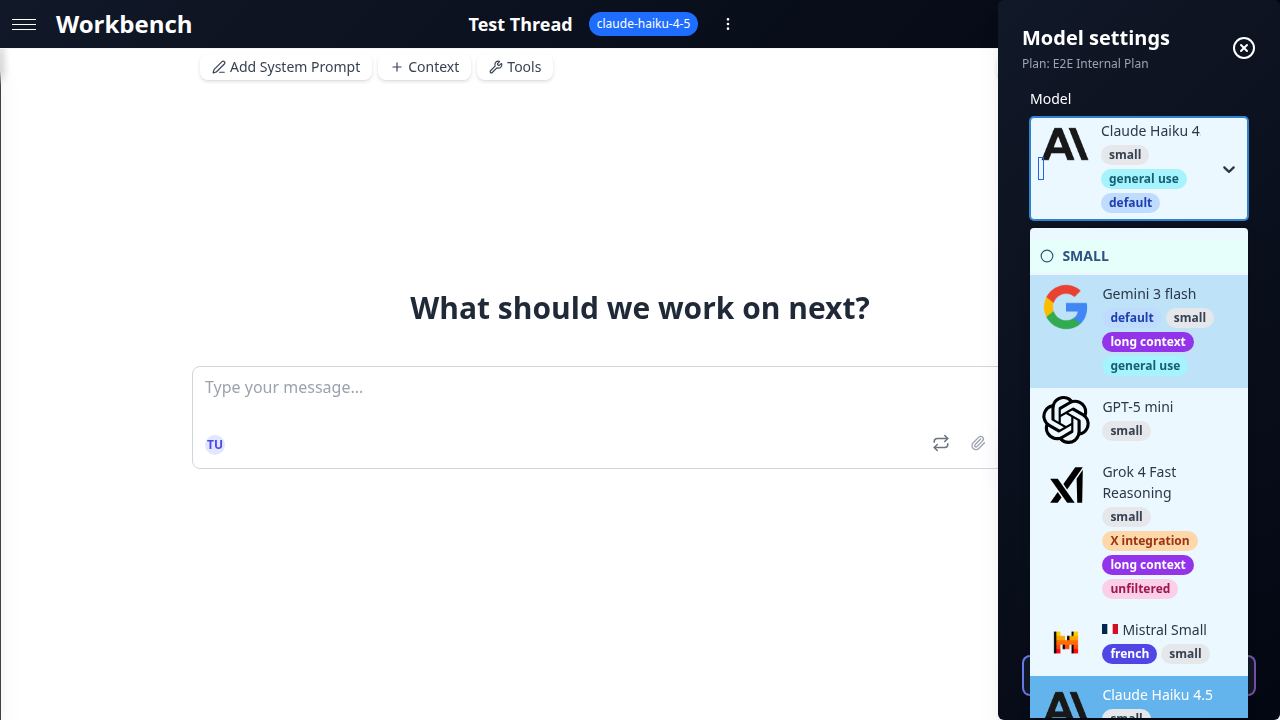
Selecting a model in GPT Workbench is a two-step decision:
- Choose a model based on the task complexity, context window needs, and budget.
- Enable abilities to extend the model beyond pure text generation.
Models and abilities are configured at the thread level. Different threads can use different models simultaneously, and switching models mid-conversation preserves your message history.
Choosing a Model
Provider Comparison
| Provider | Models | Context Window | Strengths |
|---|---|---|---|
| Anthropic (Claude) | 3 | Up to 1M tokens | Extended thinking, nuanced writing, code analysis |
| Google (Gemini) | 2 | Up to 1M tokens | Multimodal grounding (Search, Maps, PDF, YouTube) |
| OpenAI (GPT) | 3 | Up to 1.05M tokens | Code interpreter, tool search, broad tool ecosystem |
| xAI (Grok) | 2 | Up to 2M tokens | Real-time web and X/Twitter search, deep reasoning |
| Mistral | 3 | Up to 256K tokens | Cost-efficient European provider, open-weights heritage |
Model Categories
Models are grouped into three tiers based on capability and cost.
Small -- Fast and affordable
Best for quick questions, drafting, summarization, and high-volume tasks where speed matters more than depth.
| Model | Provider | Input / Output per 1M tokens | Context |
|---|---|---|---|
| claude-haiku-4-5 (default) | Anthropic | $1 / $5 | 200K |
| gemini-3-flash-preview | $0.50 / $3 | 1M | |
| gpt-5-mini | OpenAI | $0.25 / $2 | 400K |
| grok-4-fast-reasoning | xAI | $0.20 / $0.50 | 2M |
| mistral-small-latest | Mistral | $0.15 / $0.60 | 256K |
Medium -- Balanced performance
Suitable for most business tasks: analysis, report generation, code review, and research.
| Model | Provider | Input / Output per 1M tokens | Context |
|---|---|---|---|
| claude-sonnet-4-6 | Anthropic | $3 / $15 | 1M |
| gemini-3.1-pro-preview | $2 / $12 | 1M | |
| gpt-5.4 | OpenAI | $2.50 / $15 | 1.05M |
| grok-4 | xAI | $3 / $15 | 256K |
| mistral-medium-latest | Mistral | $0.40 / $2 | 128K |
Large -- Maximum capability
Reserved for complex reasoning, critical decision-making, and tasks requiring the highest accuracy.
| Model | Provider | Input / Output per 1M tokens | Context |
|---|---|---|---|
| claude-opus-4-6 | Anthropic | $5 / $25 | 1M |
| gpt-5.4-pro | OpenAI | $5 / $30 | 1.05M |
| mistral-large-latest | Mistral | $0.50 / $1.50 | 128K |
Tags Guide
The model selector displays tags next to each model to help you make quick decisions:
- Default -- The model selected for new threads (claude-haiku-4-5)
- Thinking -- Supports extended thinking/reasoning budgets
- Web -- Has native web search ability
- Vision -- Accepts image inputs
- Long Context -- Context window of 500K tokens or more
Model Settings
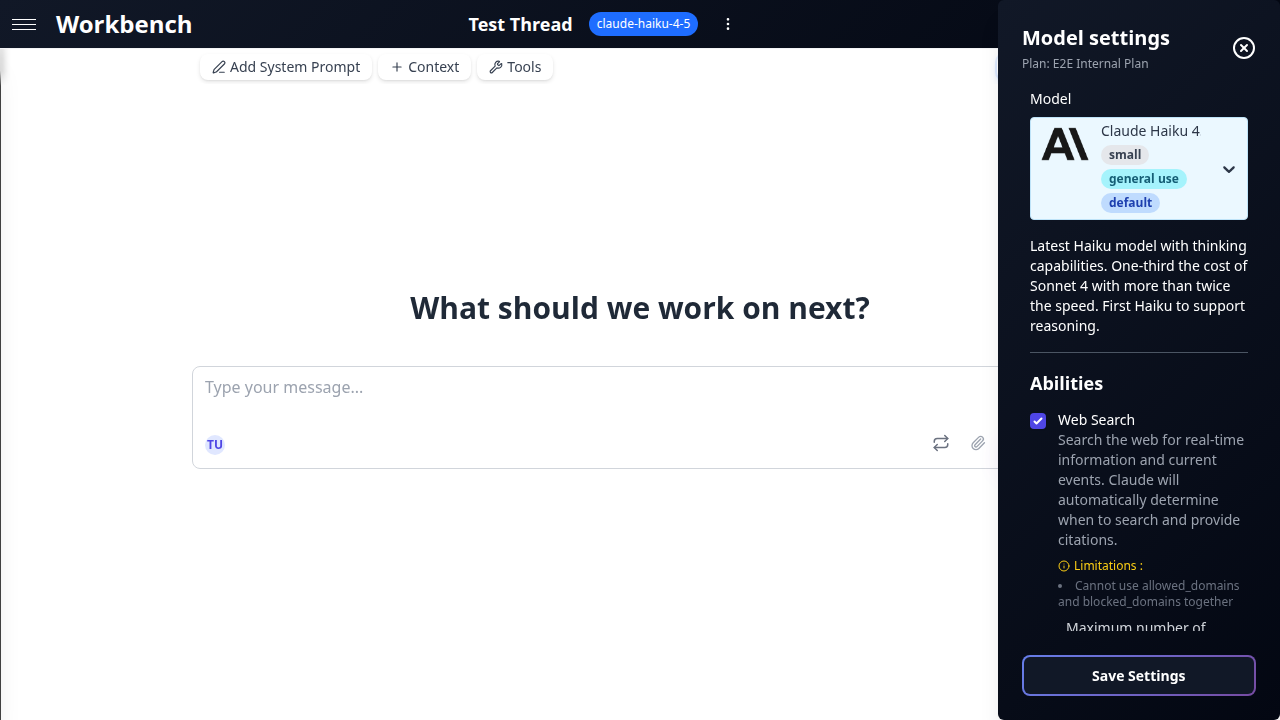
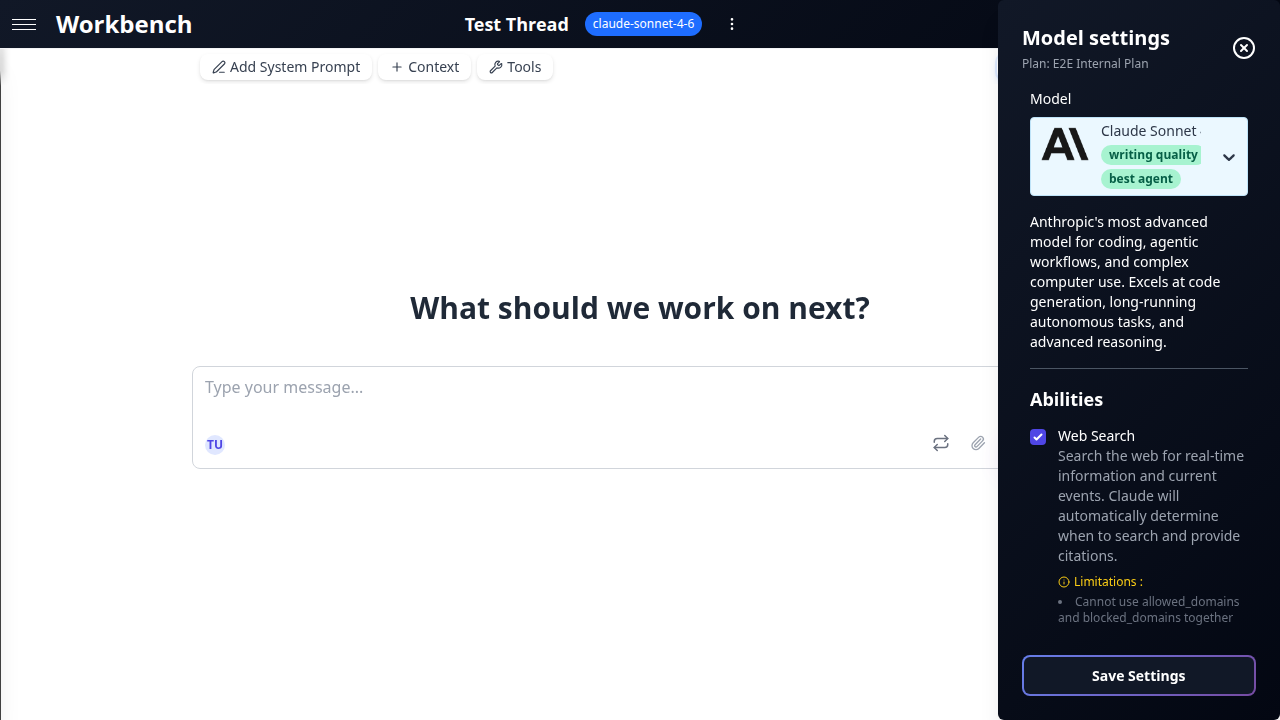
Click the model name in the thread toolbar to open the settings panel.
Temperature
Controls the randomness of the model's output. Lower values produce more deterministic, focused responses; higher values produce more varied, creative output.
- 0.0 -- Deterministic. Best for factual tasks, data extraction, and code generation.
- 0.5 -- Balanced. Good default for most business tasks.
- 1.0 -- Creative. Useful for brainstorming, marketing copy, and exploration.
Temperature is hidden when extended thinking is active (Claude) or when the model does not support it (GPT-5 series). In these cases, the model manages its own sampling strategy.
Max Tokens
Sets the maximum number of tokens the model can generate in a single response. The slider range adjusts automatically based on the selected model's limits.
Use lower values for concise outputs (summaries, classifications) and higher values for long-form content (reports, documentation, code).
Advanced Parameters
Advanced parameters appear conditionally based on the selected model and its active abilities.
Thinking & Reasoning
Models that support extended thinking allocate additional compute to "think through" a problem before responding. This produces higher-quality answers for complex tasks at the cost of additional tokens.
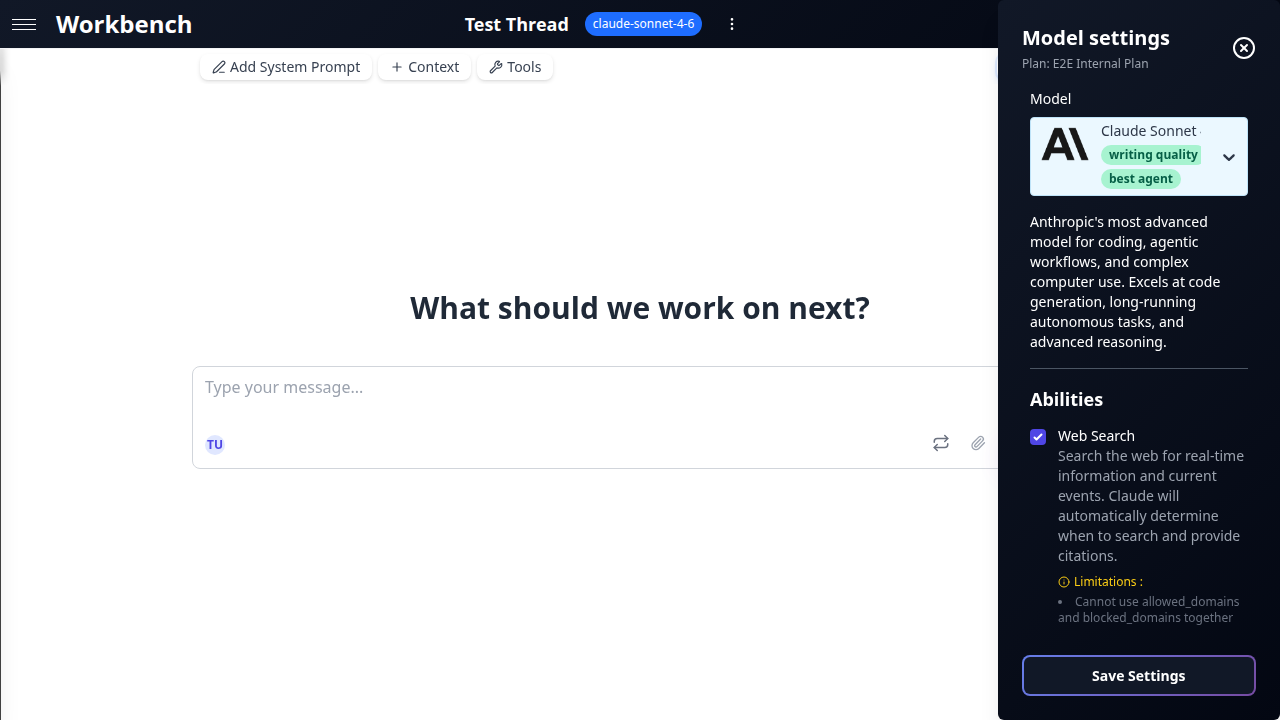
Claude (Thinking Budget): A slider from 0 to 64K tokens with labeled presets:
- Off -- No thinking. Fastest responses.
- Light -- Brief internal reasoning. Good for simple tasks.
- Moderate -- Balanced depth. Recommended for most analytical work.
- Deep -- Thorough reasoning. Suitable for complex logic or multi-step problems.
- Maximum -- Full 64K thinking budget. For the most demanding tasks.
When thinking is active, temperature is locked and the model controls its own sampling.
Gemini (Reasoning Budget): A similar slider from 0 to 32K tokens. Same preset labels apply.
OpenAI (Reasoning Effort): A five-level selector:
- None -- Reasoning disabled.
- Low -- Minimal reasoning.
- Medium -- Standard reasoning.
- High -- Thorough reasoning.
- xHigh -- Maximum reasoning effort.
When reasoning is set above None, tool usage is disabled because the model processes the request in a single reasoning pass.
xAI (Deep Reasoning): Always on for grok-4. This cannot be disabled. The model automatically allocates reasoning tokens for every request.
Response Effort
Available on Claude Opus. Controls how much effort the model puts into its response, independent of thinking.
- Low -- Brief, concise answers.
- Medium -- Standard detail level.
- High -- Comprehensive, detailed responses.
Verbosity
Available on OpenAI models. Adjusts the length and detail of responses.
- Low -- Terse, to-the-point answers.
- Medium -- Balanced output length.
- High -- Detailed, expansive responses.
Abilities
What Are Abilities
Abilities are provider-native features that extend a model beyond text generation. Unlike MCP tools (which are external integrations), abilities are built into the provider's API and operate at the model level.
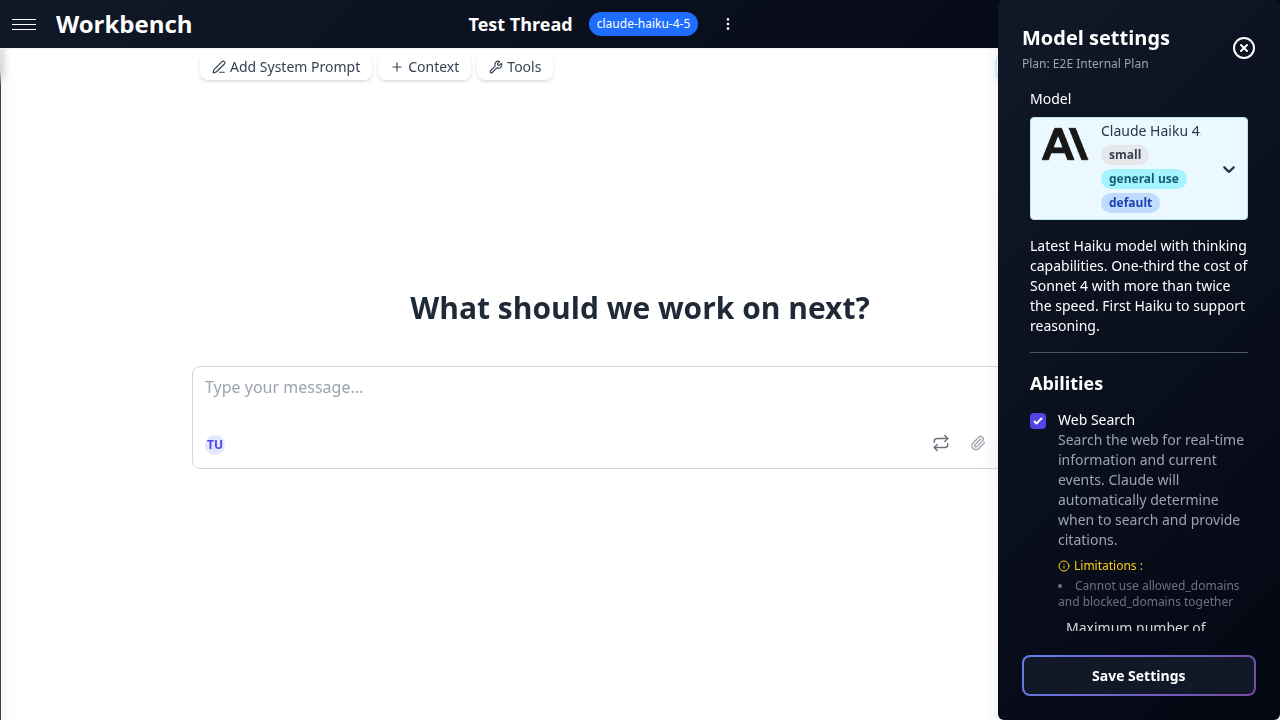
Each model advertises a fixed set of supported abilities. You enable or disable them per thread through the abilities panel.
Web Search
Gives the model access to live internet data. Responses include inline citations linking to sources.
Anthropic Web Search (anthropicWebSearch)
- Available on all Claude models.
- Configurable: maximum number of searches per response, allowed/blocked domain lists, user location for regional results.
- Citations appear as numbered references in the response.
OpenAI Web Search (openaiWebSearch)
- Available on all GPT models. Enabled by default.
- Native integration with no additional configuration required.
xAI Web Search (xaiWebSearch)
- Available on all Grok models.
- Includes full page browsing: the model can read linked pages, not just snippets.
- Cost: $25 per 1,000 sources accessed.
xAI X Search (xaiXSearch)
- Available on all Grok models.
- Searches X (formerly Twitter) posts and threads for real-time social data.
- Cost: $25 per 1,000 sources accessed.
Mistral Web Search (mistralWebSearch / mistralWebSearchPremium)
- Standard and premium tiers available on all Mistral models.
- Premium provides higher-quality sources and deeper page parsing.
Google Search Grounding (googleSearchRetrieval)
- Available on all Gemini models. Enabled by default.
- Leverages Google Search to ground responses in current information.
Thinking & Reasoning
Allocates dedicated compute for the model to reason internally before producing a response. See the detailed breakdown under Advanced Parameters above.
| Ability | Provider | Configuration |
|---|---|---|
claudeThinking | Anthropic | Budget slider: 0-64K tokens |
openaiReasoning | OpenAI | Effort selector: None to xHigh |
xaiReasoning | xAI | Always on (grok-4 only) |
Code Execution
Provides a sandboxed environment where the model can write and execute code during a conversation.
Gemini Code Execution (geminiCodeExecution)
- Python sandbox. The model can run computations, generate charts, and process data.
OpenAI Code Interpreter (openaiCodeInterpreter)
- Python sandbox with file upload/download support. Ideal for data analysis, visualization, and file transformations.
Mistral Code Interpreter (mistralCodeInterpreter)
- Code execution environment for Mistral models.
Vision & Multimodal
Several abilities handle non-text inputs.
Google Native PDF Input (googleNativePDFInput)
- Gemini processes uploaded PDFs natively with OCR, preserving layout and table structure.
Gemini Video Understanding (geminiVideoUnderstanding)
- Analyze YouTube videos by URL. The model processes the video content (visual and audio) and can answer questions about it.
Google Maps Grounding (googleMapsGrounding)
- Available on Gemini models. Requires latitude/longitude coordinates.
- Automatically detected when queries involve geographic locations.
- Provides place details, directions, and spatial context.
Image Generation
OpenAI Image Generation (openaiImageGeneration)
- Generates images using DALL-E within the conversation.
- Configurable: model variant, image size, quality level.
Grounding
Custom RAG Grounding (customRagGrounding)
- Connects to a Vertex AI RAG Corpus for retrieval-augmented generation.
- Grounds model responses in your organization's proprietary data.
Tool Search
OpenAI Tool Search (openaiToolSearch)
- Deferred tool loading. Instead of sending all tool definitions with every request, the model discovers and loads tools on demand.
- Reduces prompt size and improves response time when many tools are available.
Computer Use
Claude Computer Use (claudeComputerUse)
- Beta feature. Allows the model to interact with a computer screen.
- Configurable screen resolution.
- The model can view screenshots, move the cursor, click, and type.
Ability Conflicts and Rules
Not all abilities can be active simultaneously. GPT Workbench enforces the following rules automatically:
| Rule | Detail |
|---|---|
| OpenAI Reasoning disables tools | When openaiReasoning is set above None, all tools (native and MCP) are disabled for that request. |
| Claude Thinking locks temperature | When claudeThinking is active, the temperature slider is hidden. The model manages its own sampling. |
| GPT-5 hides temperature | The GPT-5 series does not expose a temperature control. |
| xAI Reasoning is mandatory | xaiReasoning cannot be turned off on grok-4. It is always active. |
| Google Maps requires coordinates | googleMapsGrounding activates automatically when the query contains geographic references. Manual activation requires providing latitude/longitude. |
| Web Search default states | googleSearchRetrieval and openaiWebSearch are enabled by default on their respective providers. Other web search abilities must be enabled manually. |
Best Practices
Model Selection
- Start with the default. Claude Haiku is fast, affordable, and capable enough for most tasks. Upgrade to a medium or large model only when you need deeper reasoning or longer output.
- Match context window to content. If your thread includes large documents or repository context, choose a model with a context window that can accommodate the full input. Gemini and Grok models offer the largest windows.
- Consider cost per task. A 10x price difference between small and large models adds up quickly in high-volume workflows. Use small models for routine tasks and reserve large models for critical decisions.
- Test before committing. Use console mode to compare outputs from different models on the same prompt before settling on one for a production workflow.
Ability Configuration
- Enable only what you need. Each active ability adds overhead to the request. Disable web search if your task does not require live data. Disable thinking if speed matters more than depth.
- Use thinking for complex reasoning. Extended thinking dramatically improves accuracy on multi-step logic, mathematical problems, and nuanced analysis. Start with Moderate and increase only if needed.
- Leverage web search for current events. Any task involving recent information (news, market data, regulatory changes) benefits from web search. Check citations to verify sources.
- Combine abilities strategically. A Gemini model with Search Grounding and Native PDF Input can analyze an uploaded contract while cross-referencing current regulations online.
Cost Management
- Monitor thinking token usage. Thinking tokens are billed at output rates. A Deep thinking budget on Claude Opus can cost significantly more than the visible response.
- Watch xAI source costs. Web and X search on Grok models charge $25 per 1,000 sources. High-volume search tasks can accumulate costs quickly.
- Review the cost popover. Click the cost indicator on any message to see a breakdown of input, output, cached, and thinking tokens with their per-unit pricing.
Troubleshooting
"The model ignores my tools"
Check: Is openaiReasoning set above None? When OpenAI reasoning is active, all tools are disabled for that request. Set reasoning to None or switch to a model that supports tools alongside reasoning (Claude with thinking, Gemini with reasoning).
"Temperature slider is missing"
This is expected behavior in two cases:
- Claude with thinking enabled -- The model manages its own sampling when thinking is active.
- GPT-5 series models -- These models do not expose a temperature parameter.
"Web search returns outdated information"
Web search retrieves live data, but the model may still rely on its training data if the query is ambiguous. Be explicit: include dates, ask for "the latest" information, or specify that the answer must come from web sources.
"Thinking costs are higher than expected"
Thinking tokens are billed at output token rates, which are typically 3-5x higher than input rates. A 64K thinking budget on Claude Opus at $25/1M output tokens can add up to $1.60 per request in thinking costs alone. Use the Moderate preset for most tasks and reserve Deep/Maximum for genuinely complex reasoning.
"Grok reasoning cannot be disabled"
This is by design. The grok-4 model always uses deep reasoning. If you need faster responses without reasoning overhead, switch to grok-4-fast-reasoning, which does not enforce mandatory reasoning.
Related Documentation
- Tools Overview - Native tools, MCP integrations, and OAuth connections
- MCP Tools - External tools via Model Context Protocol
- Threads - Thread configuration and conversation modes
- Context Blocks - Attaching data to threads
- Teams - Team-level model and tool defaults