
Webhooks
Webhooks in GPT Workbench provide outbound event delivery to external systems. When an AI execution completes in a thread configured with webhooks, the system automatically sends the results to your specified endpoint URLs. This enables real-time integration with notification services, data pipelines, CRM systems, and any other application that can receive HTTP POST requests.
Overview
A webhook endpoint is a destination URL that receives structured payloads whenever certain events occur in a thread. Unlike API triggers (which receive inbound requests), webhooks are outbound: GPT Workbench pushes data to your systems.
Key characteristics:
- Webhooks fire when automated executions complete (scheduled prompts and API triggers)
- Payloads include the prompt, AI response, token usage, cost data, and timing
- HMAC-SHA256 signature verification ensures payload authenticity
- Automatic retry logic handles transient delivery failures
- Delivery tracking provides full visibility into success rates and response times
Accessing Webhooks
- Open the thread you want to configure for outbound delivery
- Click the Actions menu in the thread header
- Select Automations
- Navigate to the Webhooks tab
The tab displays all webhook endpoints configured for the current thread, along with delivery statistics and status indicators.
Setting Up a Webhook Endpoint
Click New or Create Webhook Endpoint to open the creation form.
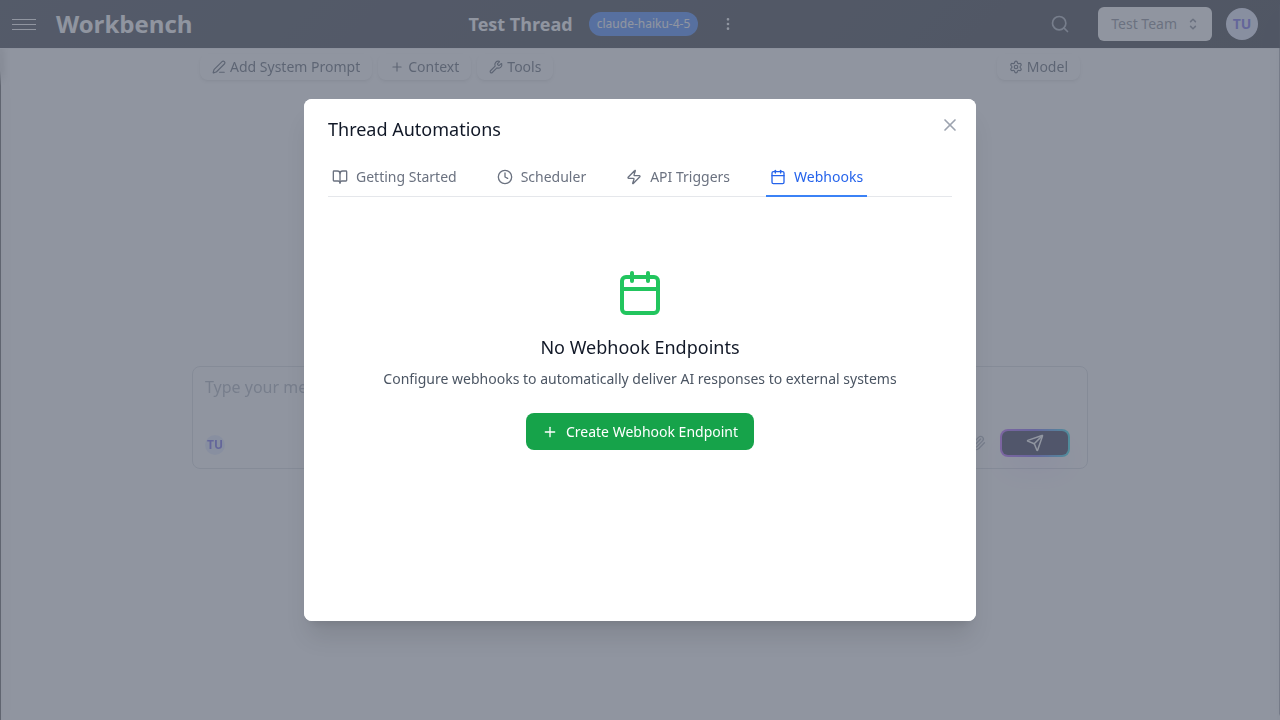
Configuration Fields
Name (required) A descriptive label for the webhook endpoint. Use names that identify the destination, such as "Slack Notifications" or "Data Warehouse Ingestion."
Webhook URL (required) The HTTPS endpoint that will receive POST requests. This must be a publicly accessible URL that can accept JSON payloads.
Example:
https://hooks.slack.com/services/T00000000/B00000000/XXXXXXXXXXXXXXXXXXXXXXXXWebhook Secret (optional) A shared secret used to generate an HMAC-SHA256 signature for each delivery. When configured, every request includes an X-Hub-Signature-256 header containing the signature. Your receiving application should verify this signature to confirm the payload was sent by GPT Workbench and has not been tampered with.
Custom Headers (optional) Additional HTTP headers to include with each delivery request. Use this to pass authorization tokens, content type overrides, or any headers required by the receiving system.
Click + Add Header to add key-value pairs. Common examples:
| Header | Value | Purpose |
|---|---|---|
Authorization | Bearer sk-your-token | API authentication |
X-Source | gpt-workbench | Source identification |
X-Environment | production | Environment tagging |
Payload Format
When a webhook fires, it sends a JSON payload with the following structure:
{
  "event": "execution.completed",
  "triggerId": "550e8400-e29b-41d4-a716-446655440000",
  "triggerName": "Daily Report Schedule",
  "execution": {
    "jobId": "661f9511-b38a-42c5-9e2a-557766880000",
    "runId": "772a0622-c49b-53d6-af3b-668877990000",
    "prompt": "Generate today's sales summary",
    "run": {
      "totalCostUsd": 0.0342,
      "totalTokens": 4521,
      "startedAt": "2026-03-29T09:00:01.000Z",
      "completedAt": "2026-03-29T09:00:12.450Z",
      "durationMs": 11450,
      "messages": [...]
    },
    "queuedAt": "2026-03-29T09:00:00.000Z",
    "completedAt": "2026-03-29T09:00:12.450Z",
    "durationMs": 12450
  },
  "threadId": "883b1733-d50c-64e7-bg4c-779988001111",
  "userId": 42
}| Field | Description |
|---|---|
event | The event type (currently execution.completed) |
triggerId | Identifier of the schedule or API trigger that initiated the execution |
triggerName | Human-readable name of the trigger |
execution.jobId | Unique job identifier |
execution.runId | Associated run record identifier |
execution.prompt | The prompt text that was sent |
execution.run.totalCostUsd | Total cost of the execution in USD |
execution.run.totalTokens | Total tokens consumed |
execution.run.durationMs | Processing time in milliseconds |
execution.run.messages | Array of AI response messages |
threadId | The thread where the execution occurred |
userId | The user who owns the automation |
Signature Verification
When a webhook secret is configured, each delivery includes an X-Hub-Signature-256 header. This header contains an HMAC-SHA256 hex digest computed over the raw request body using your secret as the key.
To verify the signature in your receiving application:
const crypto = require('crypto');

function verifyWebhookSignature(payload, signature, secret) {
    const expected = crypto
        .createHmac('sha256', secret)
        .update(payload)
        .digest('hex');
    return crypto.timingSafeEqual(
        Buffer.from(signature),
        Buffer.from(expected)
    );
}
Always use a timing-safe comparison function to prevent timing attacks.
Delivery Tracking
The webhooks tab provides delivery statistics for each configured endpoint.
Statistics Dashboard
Each webhook endpoint displays three metrics:
- Total Deliveries: cumulative number of delivery attempts
- Success Rate: percentage of deliveries that received a 2xx response
- Avg Response Time: average time for the receiving server to respond
Delivery Logs
The recent deliveries section shows individual delivery records, each containing:
| Field | Description |
|---|---|
| Status | success, failed, pending, or retrying |
| Response Code | HTTP status code returned by the receiving server |
| Response Time | Time taken for the server to respond (in milliseconds) |
| Attempts | Number of delivery attempts made (out of max attempts) |
| Timestamp | When the delivery was initiated |
Retry Logic
When a delivery fails (non-2xx response or network error), GPT Workbench automatically retries with an exponential backoff strategy:
| Attempt | Delay | Description |
|---|---|---|
| 1st retry | 5 seconds | Immediate retry for transient errors |
| 2nd retry | 15 seconds | Short delay for temporary unavailability |
| 3rd retry | 60 seconds | Final attempt with longer interval |
After 3 failed retry attempts, the delivery is marked as permanently failed. The request timeout for each attempt is 30 seconds.
Manual Retry
For failed deliveries that have not exhausted all retry attempts, a Retry button appears in the delivery log. Click it to immediately queue another delivery attempt with the original payload.
Managing Webhook Endpoints
Enable/Disable
Click Disable to temporarily stop deliveries to an endpoint without removing it. Disabled webhooks do not receive any payloads, even when executions complete. Click Enable to resume deliveries.
Testing
Click the Test button on any webhook to send a test payload. The test modal shows:
- The destination endpoint URL
- An editable JSON payload pre-filled with sample data
- Information about HMAC signature inclusion (when a secret is configured)
Use test deliveries to verify connectivity and payload processing before enabling production automation.
Deleting
Remove a webhook endpoint by deleting it from the webhooks list. This stops all future deliveries and removes the endpoint configuration. Existing delivery logs are retained for reference.
Use Cases
Slack Notifications
Deliver AI-generated summaries and reports directly to a Slack channel using an incoming webhook URL.
URL: https://hooks.slack.com/services/T00000000/B00000000/XXXXXXXXXXXXXXXXXXXXXXXXYour Slack integration can parse the execution.run.messages field to extract the AI response and format it for channel display.
Data Warehouse Ingestion
Push execution results to a data pipeline endpoint for storage and analytics. Include custom headers for authentication and use the cost and token data to track AI usage across your organization.
CRM Updates
Deliver AI analysis results back to your CRM system. For example, when a scheduled prompt generates a deal risk assessment, the webhook can push the results to a custom CRM endpoint that updates the deal record.
Incident Alerting
Configure a webhook to an alerting service (PagerDuty, Opsgenie, email gateway). When a monitoring prompt detects anomalies, the webhook delivers the AI's analysis to your incident management system for triage.
Document Generation Pipeline
Use webhooks to feed AI-generated content into a document generation pipeline. The receiving system takes the AI output from the messages array and produces formatted PDFs, slides, or other deliverables.
Best Practices
Always configure a webhook secret. Signature verification prevents unauthorized payloads from being processed by your receiving endpoint.
Handle retries idempotently. Your receiving endpoint may receive the same payload multiple times during retry attempts. Design your processing logic to handle duplicate deliveries gracefully.
Respond quickly. The delivery timeout is 30 seconds. Your endpoint should acknowledge receipt promptly and perform heavy processing asynchronously.
Monitor success rates. A declining success rate may indicate endpoint issues, network problems, or authentication token expiration. Address failures before they accumulate.
Use test deliveries before production. Verify that your endpoint correctly parses the payload format, validates signatures, and processes the data as expected.
Secure your endpoints. In addition to webhook signatures, consider IP restrictions, TLS enforcement, and authentication headers to protect your receiving endpoints.